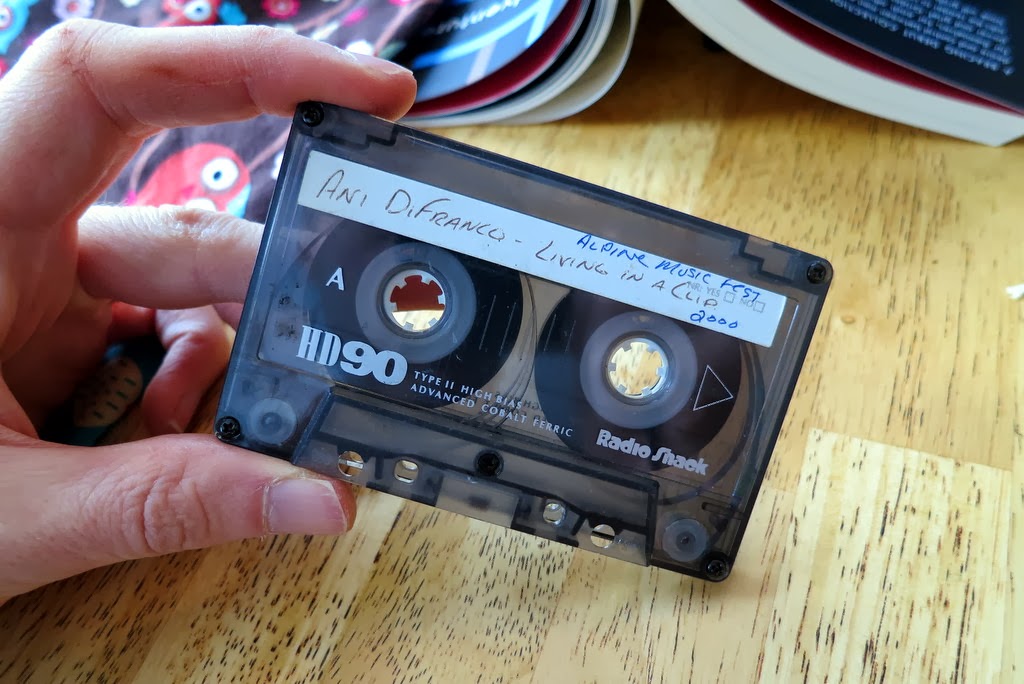
Recording to Tape: To record audio to tape, the Portastudio allows several different methods. Which method you choose is driven by your needs. Because I want to use it as a live looper, I'm hoping to find a method that causes the Portastudio to play back the recorded audio as a loop as soon as I finish recording recording it. Ideally, this will happen with no break in the action. While this is trivially easy on a digital looper like the Kaossilator, it is a little trickier on a tape-based machine, since live looping is not what this kind of tape-based machine is designed to do.
Punch-In/Punch-Out: Luckily, the Portastudio is designed to allow you to easily toggle between record and play modes without stopping the tape. This is the "punch-in" / "punch-out" practice that allows one to, say, redo a guitar solo without affecting the guitar that was recorded just before and just after the solo. When we use our loop tape instead of a normal tape, this means that we can hear our loops, then "punch-in" to overwrite all or part of the loop, and then "punch-out" to let the loop resume playing. You start the process by simply hitting "play" on the Portastudio. To "punch-in", you hit the Record button (or press the "punch-in/punch-out" footswitch, like I do in the video). To "punch-out", you hit the Play button again (or press the footswitch again). At no point do you hit Stop...it just keeps going continuously.
Input Setup: The Portastudio can configure its inputs a number of ways. To get the Portastudio to playback your newly-recorded audio as soon as you punch-out, you need to use the configuration shown in the pics below. The key is that you setup your target track (in this case, Track 1) to record NOT what is directly plugged into Track 1, but instead to record whatever is on the master bus. You do this by setting the Track 1 Input to "Mic/Line > L". Here, it'll record whatever is on the left channel of the master bus. Critically, when the Portastudio is not in record mode, this setting also causes the Portastudio to simply playback whatever is on that track. This is how you get it to play back the audio (without any further action) as soon as you punch-out.
Punch-In/Punch-Out: Luckily, the Portastudio is designed to allow you to easily toggle between record and play modes without stopping the tape. This is the "punch-in" / "punch-out" practice that allows one to, say, redo a guitar solo without affecting the guitar that was recorded just before and just after the solo. When we use our loop tape instead of a normal tape, this means that we can hear our loops, then "punch-in" to overwrite all or part of the loop, and then "punch-out" to let the loop resume playing. You start the process by simply hitting "play" on the Portastudio. To "punch-in", you hit the Record button (or press the "punch-in/punch-out" footswitch, like I do in the video). To "punch-out", you hit the Play button again (or press the footswitch again). At no point do you hit Stop...it just keeps going continuously.
Input Setup: The Portastudio can configure its inputs a number of ways. To get the Portastudio to playback your newly-recorded audio as soon as you punch-out, you need to use the configuration shown in the pics below. The key is that you setup your target track (in this case, Track 1) to record NOT what is directly plugged into Track 1, but instead to record whatever is on the master bus. You do this by setting the Track 1 Input to "Mic/Line > L". Here, it'll record whatever is on the left channel of the master bus. Critically, when the Portastudio is not in record mode, this setting also causes the Portastudio to simply playback whatever is on that track. This is how you get it to play back the audio (without any further action) as soon as you punch-out.
 |
| Overall Configuration To Record to Track 1 and then Get Instant Playback of Loops After Punching-Out. |
 |
| Detail view of input settings to record to Track 1 from the master bus and to get instant playback after punching-out. My input audio is from the black and red plugs on the right, which are configured to inject it to the L-R on the master bus. |
Cue Bus: Once you get one track recorded, you'll want to listen to that track while you record the next tracks. In normal operation, you'd just have those tracks play back their audio on the master bus. But, once you configure Track 2 to record like we did for Track 1, it'll record everything on the master bus...including your already recorded audio on Track 1. Bad. So, what you do is silence the playback of Track 1 on the main bus (by pulling down the volume slider) and instead play Track 1 on the Cue Bus. As long as your headphone (ie, the "Monitor" buttons) are set to Left+Right+Cue, you'll hear all of the audio nicely. So, after recording each track to tape, silence it on the main bus and bring it up on the Cue Bus. Now you're ready for the next Track!
 |
| Settings for the Cue Bus so that I hear all tracks via the Cue Bus, except for Track 1, which was already set for the Master Bus. |
Live Effects Loop: Now we get tricky. As you saw in the video, after I recorded four tracks onto my loop tape, I hooked up the Monotron Delay to be an effects box for the already-recorded audio. I was able to selectively and dynamically send audio from different tracks to the Monotron for filtering and echo effects. I did this by re-using the Cue Bus. Once my tracks were all recorded, I did the opposite of what I described above -- I moved all of the tracks off the Cue Bus and put them all back onto the Master Bus. I then set my headphones (ie, the "Monitor" buttons) to listen only to the Master Bus. That way, I could selectively send channels to the Cue Bus (via the Tape Cue knobs shown above) without hearing it. Interestingly, the mixed audio on the Cue Bus is available via the "Effects" jack on the back of the Portastudio. Secretely, this output jack is a stereo output. One channel is the Effects Bus (which, despite its name, is not helpful in this scenario) while the other channel is the Cue Bus. So, I plug Cue Bus into the Aux In of my Monotron Delay. I then leave the Monotron's output plugged into the Master Bus so that I can hear the echos. Instant live effects!
So this is the best setup that I have found for doing live looping with the Portastudio. The key with this method is that the tape never stops, so your groove can just keep on going.
 |
| Configuration of Portastudio to allow live effects using the Cue Bus. Note that I did not use the Portastudio's Effects Bus, because it does not allow 100% effected signal, some dry signal must always be present. Using the Cue Bus avoids this limitation. |
So this is the best setup that I have found for doing live looping with the Portastudio. The key with this method is that the tape never stops, so your groove can just keep on going.